Question(s) to ask:
- At what point do you get the error?
- Is it on opening the job or is it during a specific module?
Possible causes include: corruption of file, file not available, Cygnus is closed too swiftly before the 'performing' module closed properly or it could be following a crash and unsaved modules may have become corrupt.
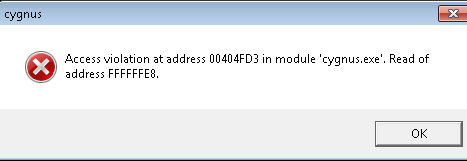
This then causes Cygnus to have limited access to the resources on load and cause the AV as displayed. You may need to ensure that the permissions to the suppressions, resources, jobs folders are set to ‘Full Control’ for all users
There are a number of other things that can also cause the Access Violation message; such as Network Access/Speed/Scans.
Access to network drive/folder may indicate bottle-necking and the error is generated if it isn't able to receive fast enough access to folders/files.
Alternatively, your Antivirus/Firewall may be limiting network traffic where for example if the Antivirus/Firewall is scanning job folders keeping them open while Cygnus is attempting to read/write to this location, hence generating the Access Violation error.
We recommend that you have your IT review the Antivirus/Firewall settings for your Jobs folder and perhaps create an exception to omit this folder from the scanning process.
0 Comments