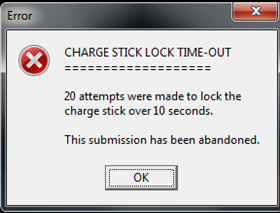
On occasions the .lck file can be left in place following a PC crash or unscheduled power down.
You will need to locate a file with the .lck extension (usually beginning with a 4??????.lck) and delete it to get rid of the error and be able to continue using Cygnus.
Located:
(Shared) …\Resources\ Generic\Control
or
(Local) C:\ProgramData\SoftwareBureau\Generic\Licences
0 Comments