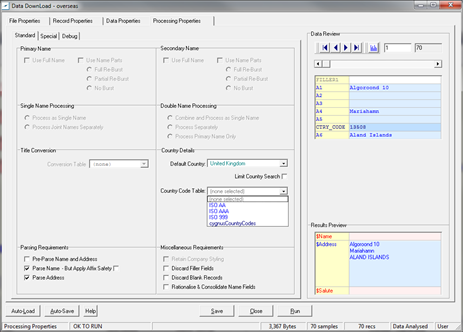
You should be able to select from the ‘Country Code Table’ dropdown menu to select the correct ISO option you require.
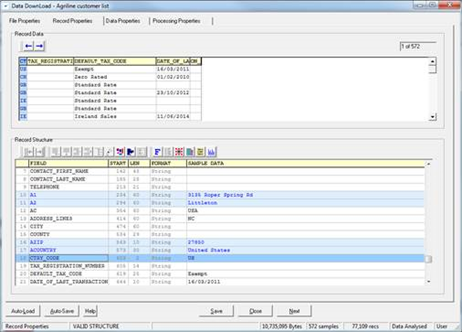
CTRY_CODE field must also be added to your dataset (as below)
Enter CTRY_CODE as an ‘A’ field option and this will invoke the ISO options [2 letters, 3 letters or 3 numbers] on the Processing Properties tab.
If the option you require is not in the drop-down menu, you can create your own list. In the below folder is an .ini file which you can use as a template to create your new list of country codes.
….\Resources\Generic\Library\Download\CtryCodeTrans
0 Comments