Client has imported a couple of files into a weekly job that has been saved forward and has got the below message when each file finishes importing.
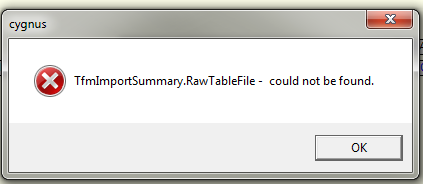
Q. The file looks OK and has completed the import so is ready to be processed further. Is this error anything to worry about or should we be looking out for anything?
A. This seems like your background files have grown, the tab numbers have become very large. It is advisable to do a complete refresh of your files, at least once a year.
Save As makes a complete copy of the job and in effect zaps the job but does not refresh the background files - any additional files will be incremented for the next 'Save' state.
An Archive copy will save the job workflow ‘as is’ leaving the job in its original form with none of the background files progressed since its creation (as such, it is best practice to create an archive [backup] of the regularly used job at your earliest convenience).
To archive a job: Archive > job title > archive details etc. > OK. To call an Archived job for future use, it will appear in the list of ‘Archives…’ via ‘Tools > Archives…’. The actual archives are stored as ‘.cav’ file in: …\Resources\ Generic\ JobArchive.
0 Comments