Is the job running at Job, Client or Master level (check bottom toolbar)?
You have upgraded correctly but the initial upgrade only does the resources. If you wish to upgrade job or client settings you have to run the upgrader a second time but select ‘Upgrade Client Level Settings’ and also tick ‘Include Job Level Settings’ and then select your job directory.
This can affect it if these settings are from an older version of Cygnus.
Or
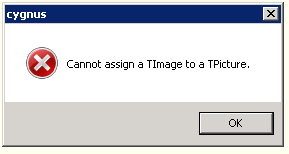
This error is caused by an ‘ini’ which controls the mailsort being corrupted. This causes the switches that control the form to be incorrect and as such, invalid combinations load causing the error shown. The most common cause is for an unconverted sort to be opened in a newer version of Cygnus.
This is where Changes in RMSort form/ table conflict with earlier version. If you delete the RMSort and recreate it the error should be rectified.
Or
Job settings has an incorrect default value that cannot be initiated at start up because of conflict of information e.g. TNT default value set to ‘Standard’ instead of ‘Premier’.
0 Comments